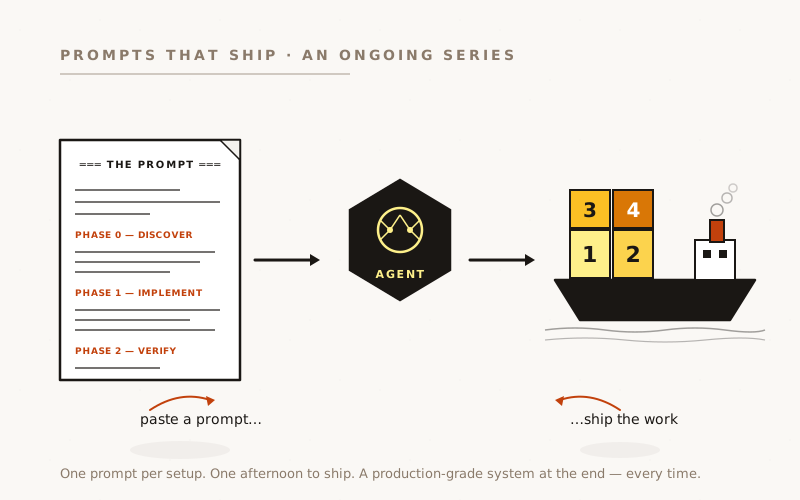
Most SaaS apps record successful payments, failed payments, and not much else. When a customer asks “did I really turn this off, or did your support team do it for me?”, or your support team asks “what changed in this account around the time the ticket landed?”, the answer is a tab-switch through five tables and a guess. A per-tenant activity log answers both questions in one query. The work is bounded, one table, one helper, a handful of database triggers, two pages, and an agent can ship it in a day. Here’s the business case, the architectural decisions that matter, the prompt that does the code work, and the silent-failure gotchas to know about before you start.
The Questions Your App Should Answer in 30 Seconds
A customer-support thread lands on Tuesday morning. “My dashboard is empty since Saturday. What happened?” You open the admin console. The account is in good standing. Their last backup was Friday at 22:00. The scheduled-backups table shows everything is disabled.
Was it disabled by the customer? An admin? A failed billing webhook that auto-suspended? A migration that dropped a flag? You can guess, but the data to answer it for sure is scattered across a dozen tables, half of which only carry current state, not history.
The five questions every operational SaaS needs to answer from one place:
- Who disabled this backup, and when?
- What did our support team do during that impersonation session?
- Of the customers who churned last month, what was the last thing they did before going quiet?
- When did this onboarding finish, and which step did the user get stuck on?
- The dashboard says “no apps”: did they ever add one?
None of these are answerable from the production database as it ships by default. They’re all trivially answerable if every state-changing user action, admin action, and lifecycle transition writes a row to a single account_events table.
This isn’t “logging.” Logging goes to stdout, lasts 14 days, and answers infrastructure questions. This is a per-tenant audit feed: typed events, kept indefinitely, queryable per account, surfaceable in the customer’s own UI so they can audit themselves.
This isn’t logging. Logging goes to stdout, lasts 14 days, and answers infrastructure questions. This is a per-tenant audit feed: typed events, kept indefinitely, surfaceable in the customer’s own UI so they can audit themselves.
What Belongs in the Feed, and What Doesn’t
The single most important decision is scope. Get it wrong in either direction and the feed is useless.
Too narrow, only logging admin actions, and the customer-side questions (“did I disable this?”, “when did onboarding finish?”) still aren’t answerable. Too wide, logging every scheduled backup, every cron tick, every HTTP request, and the table hits millions of rows per active account per month, partition-from-day-one territory, with a feed UI that’s drowning in noise.
The right scope: user-initiated actions, admin actions, and lifecycle transitions. Specifically not: automated operational events that already have their own dedicated table.
Five categories belong:
1. User-initiated mutations: schedule created / enabled / disabled / frequency changed / deleted; app added / settings changed / deleted; ad-hoc backup requested; member invited / removed; password changed.
2. Admin actions taken on a tenant: impersonation start, account deactivation / reactivation, comp grant, manual subscription override, hard delete, manual nudge sent.
3. Lifecycle transitions: account created, onboarding step completed, schema scan completed, first backup taken, first paid plan activated, milestone reached.
4. Billing state changes: subscription activated / cancelled, plan changed, payment failed, payment succeeded. (Sourced from the billing webhook, after dedupe.)
5. Auth events: login, password change, account member added / removed.
What stays out: every scheduled backup run, every email send except customer-facing ones, every Stripe webhook receipt, every health-check ping, every cron heartbeat. Those events already live somewhere: backup_results, email_log, stripe_webhook_events, route logs, cron audit. Copying them into the activity feed buys nothing and floods the table.
The threshold test: if a tenant taking a week off would generate more than ~20–50 events on their account, you’re probably logging the wrong things. Most accounts should sit in the low tens of events per active week.
What good looks like
Six pieces, and the order matters.
1. One table, one shape. A single account_events table with: account_id (nullable for system-level admin events), bubble_app_id or equivalent per-resource id (nullable for account-level events), event_type (“schedule.disabled”, “billing.plan_changed”, domain.verb_past_tense), actor_type (user / admin / system / stripe / lambda), actor_user_id, visible_to_customer (boolean), summary (pre-rendered human-readable string), detail (JSONB for structured payload), source (native / trigger / backfill), occurred_at, created_at. Tight partial indexes on the two dominant read paths: (account_id, occurred_at DESC) and (account_id, bubble_app_id, occurred_at DESC).
2. Row-level security tight enough to surface to customers. The customer-facing feed reads this table directly via RLS. Admin-internal rows must never leak. Two policies: admin sees everything, account members see visible_to_customer = true AND account_id = their_account_id. Table-level INSERT / UPDATE / DELETE revoked from authenticated so writes go through the service role only.
3. One sanctioned write path. A single recordEvent({ accountId, type, actorType, actorUserId, summary, detail }) helper, called from every API route that does a meaningful mutation, every webhook handler, every admin action. The helper swallows its own errors. An event-log write failing must never break the action that triggered it.
4. Database triggers for the handful of state-of-the-tenant fields that absolutely must not drift. Specifically: account deactivation flips, subscription level changes, onboarding step completions. The app-helper covers intent (“user clicked the toggle”); triggers belt-and-brace for fields where an ad-hoc SQL UPDATE would otherwise leave the feed lying. Use this sparingly: three or four triggers maximum.
5. Two read surfaces. A customer-facing feed at /account/activity (and a per-resource variant at /apps/[id]/activity for products with a per-resource scope). An admin per-account drawer tab plus a global cross-account stream backed by a SECURITY DEFINER RPC with filter + cursor support.
6. A best-effort backfill from existing tables. Idempotent: wrapped in a transaction, every insert guarded by WHERE NOT EXISTS keyed on a partial unique index. Pull what you can from existing data (account creation timestamps, schedule creation, milestone records, prior admin audit rows, billing events). Stamp every backfilled row with source = 'backfill'. Accept that login history, password changes, and any “state transition without history” events are unrecoverable.
The prompt
Paste this into Claude Code (or Codex). Phase 0 inspects the codebase first, and crucially, if an activity feed already exists, audits it for the coverage gaps the agent should fill instead of starting over.
Build (or extend) a per-tenant activity feed for this app — one
`account_events` table written from every meaningful state change,
surfaced as a customer-facing feed AND an admin investigation tool.
═══ PHASE 0 — DISCOVER FIRST ═══
Before writing any code, inspect the codebase and write your findings
to `docs/activity-feed.md`. Cover the following.
A. MULTI-TENANT BOUNDARY. Which table represents the tenant?
(Our reference setup used `accounts`; your project may use
`organizations`, `workspaces`, `teams`. Whatever your row-level
security policies key on is the right boundary.) Note any per-
resource sub-boundary the feed should also be filterable by
(apps, projects, sites, repositories).
B. EXISTING INSTRUMENTATION — look for ANY of:
- Tables named `*_audit_log`, `*_events`, `activity_*`, `audit_*`,
`*_history`, `event_log`.
- Admin audit helpers (a `logAuditEvent` / `recordAudit` / similar).
- Milestone or lifecycle tables (`milestone_events`, `signup_*`).
- Existing analytics emitters (Segment, PostHog, GA4) — note them
but don't reuse them as the audit log; analytics has different
retention and shape.
FOR EACH existing log table, document:
- Schema and what event types it currently captures
- Which call sites write to it (grep for the writer function)
- Whether it's actor-keyed (admin_user_id only) or tenant-keyed
(account_id present) — actor-keyed alone is a gap; the feed
needs to be queryable per tenant
- Whether it has any reader UI (admin page, customer page, none)
- Whether visibility (admin-only vs customer-visible) is a column
or assumed by table
C. COVERAGE GAPS — list every CATEGORY of event below and mark each
as ALREADY COVERED (by which existing writer/table) or MISSING:
USER-INITIATED MUTATIONS (mark every route that mutates tenant
state and is NOT logged):
- schedule / cron / job created, edited, deleted, toggled
- resource (app / project / site / etc.) added, settings
changed, deleted
- ad-hoc / manual job triggered by user
- account member invited, accepted, removed
- password / 2FA / API-key changed by the user
- data export requested
ADMIN ACTIONS (mark every admin route that mutates tenant state):
- user impersonation start / end
- account deactivation, reactivation, hard delete
- subscription / plan manual override
- comp / discount granted
- manual nudge / email send
- admin-side support note added
LIFECYCLE / SYSTEM (mark transitions that have no current logger):
- account created, first user added
- onboarding step completed, full onboarding finished
- schema scan / first integration completed
- first paid plan activated
- milestone reached (first action, retention day-N, etc.)
BILLING (from the billing-webhook handler):
- subscription activated, cancelled, plan changed
- payment succeeded, payment failed
AUTH:
- login, password changed
- account member added / removed
EXCLUDE explicitly (these belong in their own dedicated tables):
- every scheduled / cron / automated job run (use the existing
results table)
- every transactional email (use the email_log)
- every billing-webhook receipt (use the dedupe table) — only
the DERIVED billing.* events go in the feed, after dedupe
- cron heartbeats, health-check pings, queue tick events
D. WHICH ACTIONS SHOULD BE VISIBLE TO CUSTOMERS vs ADMIN-INTERNAL:
Default — everything customer-facing is visible. Admin actions
taken on a tenant (impersonation, comp grants, manual overrides)
are admin-only. Document the policy explicitly so the agent
doesn't have to guess on borderline cases.
E. STACK PIECES the agent needs to know:
- Server framework (Next.js App Router, Rails, Django, NestJS, …)
- Database + RLS support (Postgres + RLS gets full design;
MySQL/Mongo means RLS is replaced with server-side filtering
in every read path)
- Auth library
- Billing webhook handler location
- Background job / queue pattern
- Existing admin app/portal (separate Next.js app? embedded?)
Then write the implementation plan in the same doc, distinguishing
"new table, helper, triggers, UI" vs "extend existing table to fill
gaps." Stop. I'll confirm before you implement.
═══ PHASE 1 — IMPLEMENT (after spec approval) ═══
1. SCHEMA — single `account_events` table.
id UUID PK
account_id UUID nullable, FK to tenants, ON DELETE CASCADE
resource_id UUID nullable, FK to per-resource boundary, ON DELETE SET NULL
event_type TEXT not null -- domain.verb_past_tense
actor_type ENUM('user','admin','system','stripe','lambda','unknown')
actor_user_id UUID nullable, FK to users
visible_to_customer BOOLEAN not null default true
summary TEXT not null -- pre-rendered AT WRITE TIME
detail JSONB not null default '{}'
source TEXT not null check (source in ('native','trigger','backfill'))
occurred_at TIMESTAMPTZ not null default now()
created_at TIMESTAMPTZ not null default now()
CHECK (account_id IS NOT NULL OR actor_type IN ('admin','system'))
WHY pre-rendered summary at write time, NOT at read time:
the feed needs to survive schema renames, FK deletions, and
column drops for years. A row read in 2030 must still be
readable even if the schedule it referenced was deleted in 2027.
WHY `actor_type` and `source` are SEPARATE columns:
actor_type is who-did-it in the real world (a user, a webhook,
a Lambda). source is how-the-row-arrived in the table (native
helper call, DB trigger, backfill migration). Conflating them
means you can't backfill historical user actions as
actor_type=user / source=backfill — you'd have to lie about
one or the other.
Indexes (partial — the predicates matter):
(account_id, occurred_at DESC) WHERE account_id IS NOT NULL
(account_id, resource_id, occurred_at DESC) WHERE resource_id IS NOT NULL
(event_type, occurred_at DESC)
(actor_user_id, occurred_at DESC) WHERE actor_user_id IS NOT NULL
UNIQUE (COALESCE(account_id,'…'), event_type, occurred_at,
COALESCE(resource_id,'…')) WHERE source='backfill'
-- the unique is for backfill idempotency only
2. RLS / WRITES LOCKED DOWN.
REVOKE INSERT, UPDATE, DELETE, TRUNCATE FROM authenticated, anon.
GRANT SELECT TO authenticated.
Two SELECT policies scoped TO authenticated:
- admins: USING (is_admin())
- members: USING (visible_to_customer = true AND account_id IS NOT NULL
AND account_id = caller_account_id())
3. ONE WRITE HELPER — `recordEvent({ accountId, type, actorType,
actorUserId, resourceId, summary, detail, occurredAt?,
visibleToCustomer? })`. Service-role client. Wraps the insert in
try/catch — an event-log write failure must NEVER throw to the
caller. Default visibility derived from type prefix: anything
starting with `admin.` defaults to visible_to_customer=false,
everything else defaults true. Explicit override always wins.
4. EVENT TAXONOMY — domain.verb_past_tense, ~25-35 types to start.
Examples (rename to fit this product):
account.created, account.member_added, account.member_removed
auth.user_logged_in, auth.password_changed
setup.scan_completed, setup.step_completed, setup.completed
schedule.created, schedule.enabled, schedule.disabled,
schedule.frequency_changed, schedule.deleted
backup.adhoc_requested, backup.adhoc_completed, backup.adhoc_failed
app.added, app.deleted, app.settings_changed
billing.subscription_activated, billing.plan_changed,
billing.subscription_cancelled, billing.payment_failed,
billing.payment_succeeded
email.daily_summary_sent, email.problem_alert_sent
milestone.reached
admin.account_deactivated, admin.account_reactivated,
admin.subscription_overridden, admin.comp_granted,
admin.user_impersonated, admin.nudge_sent
5. CALL SITES — wire the helper into every API route that mutates
tenant state. Routes you almost certainly have:
- per-resource settings PATCH/PUT/DELETE handlers
- per-resource create handler
- account-member invite / accept / remove handlers
- password-change route
- data-export / ad-hoc-action routes
- the login callback (record auth.user_logged_in)
- the billing webhook (record billing.* AFTER the dedupe gate)
- every admin action route (record admin.* — replace any
existing admin audit writer with the new helper)
6. THE VOLUME CLIFF — gating webhooks from automated systems.
This is the highest-blast-radius gotcha. If any of your routes
receive callbacks from a Lambda / Worker / partner system for
BOTH user-triggered AND scheduled-run events (e.g. a single
/api/webhooks/results endpoint that hears about both an ad-hoc
request the user made AND every nightly cron-driven backup),
the emit MUST be gated on a "this was user-triggered" flag,
typically the presence of an `adhocRequestId` / `requestId` /
`userInitiated` in the payload.
ONE BUG and you're writing 1000x the expected row volume.
Add a unit test per gated route asserting that a scheduled-run
payload does NOT call recordEvent.
7. DATABASE TRIGGERS — exactly four, no more.
AFTER UPDATE OF deactivation-flag ON tenants
WHEN OLD.flag IS DISTINCT FROM NEW.flag → emit admin.deactivated
/ admin.reactivated
AFTER UPDATE OF subscription-level ON tenants
WHEN OLD IS DISTINCT FROM NEW → emit billing.plan_changed
AFTER UPDATE ON tenants
FOR EACH ROW → loop over the stepN_* onboarding columns,
emit setup.step_completed / setup.completed on each
false→true transition
AFTER INSERT ON milestone_events → mirror to account_events
WHY triggers AT ALL when the app-helper covers most paths:
triggers belt-and-brace the handful of fields where an ad-hoc
SQL UPDATE bypasses the API. State-of-the-tenant fields
(deactivation, plan, onboarding) deserve this; per-action
fields don't.
WHY ONLY four triggers and not more:
triggers can't see actor intent. A schedule disabled because
the user clicked the toggle looks identical to one disabled
by an internal cleanup script. The app-helper captures intent
("user did this with this body"); triggers are for fields
where intent doesn't matter — the state changed, log it.
All trigger functions: SECURITY DEFINER, SET search_path=public,
ALTER FUNCTION SET statement_timeout = '5s', REVOKE EXECUTE
FROM PUBLIC/anon/authenticated.
8. ADMIN AUDIT MIGRATION — if an admin_audit_log already exists
(per Phase 0 discovery), rewrite its writer as a thin shim
over recordEvent with a LEGACY_MAP from old eventType strings
to new `admin.*` types. Keep the legacy table as a historical
artefact; stop writing new rows to it. Schedule a drop migration
for after one release cycle of green CI.
9. BACKFILL — single idempotent migration, wrapped in BEGIN/COMMIT.
Pull from each source table that has a usable timestamp.
Every INSERT guarded by `WHERE NOT EXISTS` on the partial unique
backfill index. Stamp source='backfill'. For lossy timestamps
(e.g. backfilling onboarding.completed from accounts.updated_at
when no per-step timestamps exist), set
detail.backfill_note='occurred_at is approximate' so the UI can
prefix with a ~.
IMPORTANT: if your billing-webhook dedupe table only stores
event_id + status without the raw payload, billing-history
backfill is impossible — say so explicitly in the migration
comment rather than silently producing zero billing rows. The
forward-going recordEvent call still works; only history is gone.
10. READ SURFACES — three pages, one shared row component.
/account/activity (customer): server-component, RLS-respecting
client, cursor-paginated on occurred_at, shared EventRow.
/<resource>/[id]/activity (customer): same, +eq(resource_id).
Admin per-account tab: same shape, service-role client,
+optional "admin-internal only" filter.
Admin global stream: SECURITY DEFINER RPC `admin_search_events`
taking (filters JSONB, cursor, limit), gated on is_admin().
LIMIT LEAST(p_limit, 200). statement_timeout 15s.
EventRow renders: domain icon, pre-rendered summary, "in
<resource> · by <actor> · <relative time>" context line,
collapsible details drawer that pretty-prints the detail JSONB.
Prefix relative time with ~ when detail.backfill_note is set.
═══ PHASE 2 — VERIFY before shipping ═══
- All tests pass. RLS smoke test confirms a member CANNOT see
visible_to_customer=false rows, CANNOT see other accounts'
rows, CANNOT insert directly.
- Backfill idempotency: run the migration twice; row counts
identical the second time.
- Volume sanity: 15 minutes after deploy on staging, run
`SELECT event_type, count(*) FROM account_events
WHERE source='native' AND created_at > now() - interval '15 minutes'
GROUP BY event_type;` — expect low single-digits per minute
in normal operation. If you see hundreds, a gate is wrong.
- Failed emit doesn't break callers: unit-test that a thrown
error inside the supabase client constructor still lets
recordEvent resolve undefined.
- Manual smoke: customer flow — login, change a setting, visit
/account/activity, see the event. Admin flow — open the
account drawer, see the same event plus any admin-only ones.
Ship in 5-7 small PRs, NOT one mega-PR. Foundation (table + RLS
+ helper) first; triggers second; call-site integrations third;
admin shim fourth; backfill fifth; UI sixth.
What it does
- Phase 0 audits before designing. The most common case isn’t “no logging at all.” It’s “logging exists but doesn’t cover what we need.” The discovery section explicitly handles both cases and produces a coverage matrix the agent reasons from.
- Categories, not item lists. The agent is told kinds of events to look for and asked to grep for each kind in this specific codebase. That works whether the routes live under
pages/api/,app/api/, a NestJS controller, or a Rails controller. - The volume cliff is named. Section 6 isolates the one bug that, if shipped, multiplies the row count by a thousand. With unit tests demanding proof the gate works.
- Triggers are bounded. Section 7 explicitly caps at four and explains why more would be wrong. Without that constraint, agents over-instrument and the feed fills with noise from idempotent updates.
- Backfill admits what it can’t recover. Section 9 names the dedupe-table-without-payload trap by name. If the discovery hits it, the agent comments it in the migration rather than producing an empty billing history.
- Verification asserts the gate. Phase 2’s volume-sanity query is a one-line check that, run 15 minutes after staging deploy, tells you immediately whether a gating mistake shipped.
From this prompt the agent writes the migration, the helper, the four triggers, ten or so call-site integrations, the admin audit shim, the shared row component, both customer pages, both admin surfaces, the search RPC, the backfill, the RLS smoke test, and the E2E specs. Forty-something commits over a day. Each one merges green.
What goes wrong
Four sharp edges bit us during execution that are worth knowing before you start.
The lambda-webhook handlers double-bind to both user actions and scheduled runs.
Our backup pipeline POSTs callbacks to five /api/webhooks/* routes. Each callback could be either a user-triggered ad-hoc backup OR a nightly scheduled run, distinguished only by the presence of an adhocRequestId in the body. The implementation needed recordEvent calls in all five handlers, gated on that field, with a unit test per handler asserting that a scheduled-run payload does NOT emit.
We wrote those tests because the cost of getting it wrong is asymmetric: one missing gate and you’re inserting 1.4 million events a month from one source, table partitioning required from day one, an unusable feed for customers, and a backfill plan written in panic.
Lesson: every webhook that could carry both user-initiated and automated traffic needs a per-handler test that asserts the automated path emits nothing.
ONE BUG and you’re writing 1000x the expected row volume.
The stripe_webhook_events dedupe table had no payload column, so historical billing backfill was impossible.
Our existing webhook handler dedupes Stripe events by inserting into stripe_webhook_events(stripe_event_id, status) and short-circuiting on conflict. It does NOT store the raw event body. When we tried to backfill historical billing.* events from this table to seed the feed, we couldn’t. There was no payload to extract the Stripe customer id from to join against accounts.stripe_customer_id. The forward-going helper call works fine; everything before deploy is gone.
Lesson: persist the raw payload at every dedupe gate. The 4KB per row is irrelevant against the cost of an empty audit history.
Pre-render the summary text at write time, never at read time.
The instinct is to store structured data and render in the UI. The mistake is that years from now, a row that says event_type='schedule.disabled', detail={schedule_id: 'abc-123'} reads as “schedule.disabled” with no context, because the schedule was deleted in 2027 and there’s no row to look up.
We stored a pre-rendered Backup schedule for 'tasks' disabled string at write time and the row stays readable forever. Stripe’s audit log uses the same pattern.
Lesson: the feed must survive the schema; render at write time, not read time.
Distinguish the real-world actor from the row’s provenance.
Our first draft used a single actor_type enum with values including backfill. That conflates two orthogonal dimensions: who did the thing in the real world, and how the row got into the table. A backfilled account.created row’s actor was the system at the time; the source of the row is the backfill migration. Different things.
We split into actor_type (user / admin / system / stripe / lambda / unknown) and source (native / trigger / backfill). Without that split, you can’t backfill historical user actions honestly: the actor was a user but we don’t know which one, and lying about either dimension to fit the schema teaches every downstream query to lie too.
Lesson: actor and source are separate columns. Backfilled rows for actions whose original actor is unrecoverable get actor_type='unknown'.
What it costs
About a day of an engineer’s attention. The agent ships the migration, the helper, four triggers, ten call-site integrations, the admin audit shim, the shared UI components, two customer pages, two admin surfaces, the search RPC, the backfill, the RLS smoke test, and the Playwright specs. The human’s job is to review each phase before the next one starts (six checkpoints over the day), decide the scope cutoffs the agent can’t decide alone (which categories are admin-only, which existing tables to merge versus replace), and run the deploy.
The payback: every “what happened to my account?” support thread becomes a 30-second query. Every churn analysis becomes “show me the last 10 events on accounts that cancelled this month.” Every “did your team change something on my account?” customer trust question becomes a tab in the customer’s own UI that they can read themselves.
Why this matters
The reason most teams ship without an activity feed isn’t blindness to the value. It’s that the design space looks unboundedly large (what to log, what to skip, how to surface it, how to gate the volume) and the work looks like a multi-week project. The design space is small. Six categories belong in the feed; everything else lives in dedicated tables already. The scope-cutoffs that matter (the volume cliff, the visibility flag, the actor-vs-source separation, the four targeted triggers) are decisions, not implementations. Once those decisions are made the implementation is mechanical, and that’s the part agents do well.
Built on PlanB, a Bubble.io backup service. Stack: Next.js 16 App Router, Supabase Postgres + RLS, AWS Lambda for the backup pipeline, deployed to AWS ECS. The work was done with Claude Code (Opus 4.7) over a single day, 41 commits across one feature branch, reviewed in phases, merged in one PR, with about 4 hours of human review and decision time on top.