A production crash with no log line anywhere, just a user screenshot. That’s how we learned we had no frontend error monitoring. Here’s the setup that catches every class of browser error, routes them into CloudWatch as structured JSON, and fires an email before the user sends a second screenshot. The centerpiece is a copy-pasteable prompt an AI coding agent can run against your Next.js app in an afternoon.
The Failure Mode Nobody Plans For
The incident was a blank white page on the interview prep screen. One of our users sent a screenshot. No stack trace. No CloudWatch entry. No alarm. The browser had crashed: a React component accessed a property on an undefined lookup result, and there was nothing in any log system that acknowledged it happened.
The immediate fix took twenty minutes. The monitoring setup that would have caught it took a day.
The crash traced to an LLM prompt that had started emitting an enum value (weak_evidence) that the component’s style lookup table didn’t handle. The lookup returned undefined. The next line accessed .badge on it. The component threw. React had no error boundary to catch it, or rather, Next.js had its own error boundary that shows a chrome-style “something went wrong” page, but that boundary didn’t call any of our code, so nothing reached our logs.
That’s the pattern worth understanding. There are four distinct places a Next.js app can throw, and they fail in different ways:
- React render errors: component throws during render or commit. React’s own boundary catches these. You need an
error.tsxboundary in your route groups to intercept them before React’s default handler. - Window errors: uncaught exceptions thrown synchronously outside the render tree. The canonical example: an
onClickhandler throws. React’s error boundary cannot catch this, because event handlers fire after render. The browser emits awindow.errorevent instead. - Unhandled promise rejections: an async function throws and nothing catches it. The browser emits
window.unhandledrejection. Again, outside the React boundary’s reach. - Server errors: route handlers, server components, server actions. Next.js 15+ gives you
onRequestErrorininstrumentation.tsto hook these.
The screenshot incident involved a React render error. But the real monitoring gap was all four. We had none of them instrumented.
There are four distinct places a Next.js app can throw, and they fail in different ways. The screenshot incident involved one. The real monitoring gap was all four.
The question a team should be able to answer in 30 seconds:
- Did any user hit an error in the last hour?
- Which route? Which user? What were they doing immediately before it crashed?
- Is this a new error or a repeat of something we’ve already seen?
Without structured capture across all four sources, these are unanswerable without DM-ing the user.
What good looks like
Six pieces working together.
1. Three scoped React error boundaries. Next.js App Router looks for error.tsx in each route group. A global-level app/global-error.tsx catches catastrophic failures (a crash in the root layout itself: it must declare its own <html> and <body>). Route-group error.tsx files catch crashes inside that shell with the app’s navigation still visible. Each boundary calls reportClientError() in a useEffect.
2. instrumentation-client.ts for the non-React sources. Next.js 15.3+ runs this file once at client boot. This is where you register window.addEventListener("error", ...) and window.addEventListener("unhandledrejection", ...). It’s also where you add history and fetch monkey-patches for breadcrumbs. One file. Runs before any component mounts.
3. A reportClientError() utility that never throws. The whole point is that error reporting must not become a second error source. The reporter needs to truncate (8KB stack, 2KB message), dedupe within a 30-second window so a tight loop doesn’t spam the endpoint, use keepalive: true so the fetch survives a page navigation race, and wrap the entire body in try/catch.
4. Diagnostic context so reports are actionable. A stack trace alone gives you “something broke for someone.” What you need for 2am incident triage is: which user, which org, which role, what route, what they clicked before it crashed, which fetch requests failed with what status. We capture this via a breadcrumb ring buffer (20 entries: route changes and fetch failures from the History/fetch monkey-patches), a sessionId/viewId pair for tab and per-route-change correlation, and a window.__HB_CONTEXT__ global populated by an <ErrorContextProvider> component wired into the auth shell.
5. A hardened /api/errors POST endpoint. Public endpoint, so it needs: Zod validation, 30 req/min/IP rate limit using the last x-forwarded-for token (not the first: ALB prepends the client IP; the first token is attacker-controlled), an Origin allow-list, and server-side fingerprint dedup before emitting. Each accepted report becomes one structured JSON line via console.error().
6. A backend pipeline that uses what you already have. We use CloudWatch. The ECS log driver was already capturing our server’s stdout. A metric filter promotes the JSON lines to a custom metric; one alarm at threshold=1 with an M-of-N config (1 of 12 5-minute windows) means the alarm stays ALARM for 60 minutes after the last error, so a burst is one email not many. SNS delivers to email. Under $1/month.
The prompt
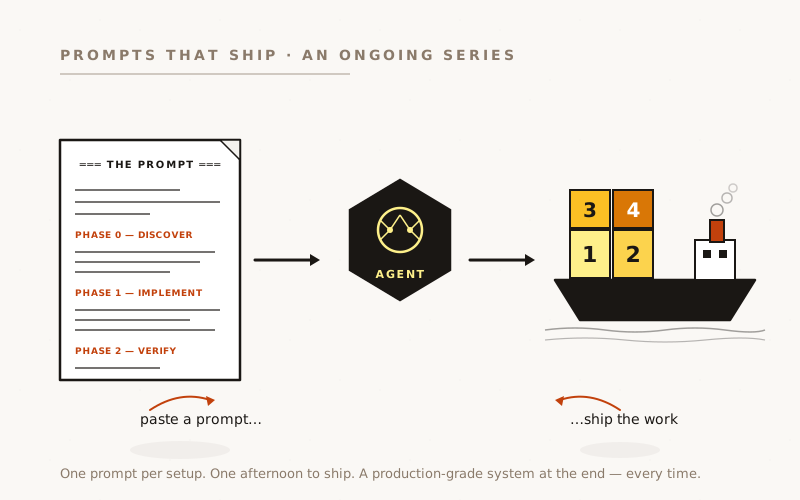
Paste this into Claude Code, Cursor, or any capable agent. Phase 0 forces discovery before any files are touched. This is important: the prompt references our stack by name, but your app almost certainly differs.
Set up frontend error monitoring for this Next.js App Router application.
═══ PHASE 0 — DISCOVER FIRST ═══
Before writing any code, inspect the codebase and write your findings to
`docs/error-monitoring.md`. Cover:
- The Next.js version. This matters: instrumentation-client.ts requires
15.3+. If you're on an earlier version, we'll need a different approach
for client-boot registration.
(Our reference setup used Next.js 16 on ECS Fargate.)
- Existing route groups under src/app/ and whether each has an error.tsx.
Name the route groups you find — we need one error boundary per group.
(Our reference had three: (app) for the main shell, (fullscreen) for
the interview conductor, and the root app/ for the global boundary.)
- Where auth context lives and whether there's a top-level layout for
authenticated routes. We need to wire an <ErrorContextProvider> into
the authenticated shell after the user/org is resolved.
(Our reference used Supabase Auth with the user session resolved in
the (app)/layout.tsx server component.)
- The existing logging / observability stack. What does the app use for
structured logs? Is there a CloudWatch log group? A Datadog agent?
Logtail? The /api/errors endpoint emits one JSON line per unique error —
adapt the console.error() call at the end to whatever your pipeline
uses.
(Our reference used AWS ECS + CloudWatch Logs: the ECS log driver
captures stdout/stderr, and a CloudWatch metric filter promotes the
JSON lines to a custom metric. If you're not on ECS/CloudWatch, the
frontend capture pieces — everything through Phase 1 step 6 — are
identical regardless. Only the backend pipeline in step 7 differs.)
- Whether Zod is already a dependency. The /api/errors endpoint uses Zod
for payload validation. If it's not present, add it, or substitute
a similar validation library.
- The deployment URL(s) for ALLOWED_ORIGINS in the endpoint. The route
rejects requests from unknown origins. Add your production and staging
hostnames plus http://localhost:3000 for local development.
- Any existing breadcrumb or session-tracking utilities. If they exist,
reuse them rather than creating parallel infrastructure.
Then write the implementation plan in the same doc. Stop. I'll confirm
before you implement.
═══ PHASE 1 — IMPLEMENT (after spec approval) ═══
1. SHARED UTILITY MODULES — create these first, the rest depend on them.
a. src/lib/errors/breadcrumbs.ts — ring buffer, 20 entries, types:
"route" | "fetch" | "click" | "auth" | "info". Exports: addBreadcrumb(),
getBreadcrumbs(), __resetBreadcrumbsForTests().
b. src/lib/errors/session-id.ts — two IDs:
- sessionId: stable for the browser tab lifetime (sessionStorage,
key "app.session_id"). New tab / reload = new ID.
- viewId: rotates on every route transition. Exported functions:
getSessionId(), getViewId(), rotateViewId().
EXCEPTION: Use crypto.randomUUID() or crypto.getRandomValues() as the
random source — do NOT use Math.random(). Even though session IDs are
correlation-only (no auth, no access grant), Math.random() will be
flagged by static analysers (CodeQL, Semgrep) when the value flows
into a network request. Using a cryptographic RNG everywhere is one
line and costs nothing.
c. src/lib/errors/client-context.ts — reads window.__APP_CONTEXT__ (or
whatever global your app uses) for userId / orgId / role / feature
flags / commit SHA. Returns {} when called outside the auth shell.
Declare the global interface so TypeScript is satisfied.
d. src/lib/errors/server-dedup.ts — server-side fingerprint dedup.
Fingerprint = (event \x00 routePath \x00 top-3-stack-frames \x00
commitSha). Returns true (first sighting, emit) or false (suppress)
within a 1-hour rolling window per fingerprint. In-process Map —
document the "multiple replicas each hold their own dedup state"
caveat; it's acceptable at low task counts.
EXCEPTION: Use \x00 (NUL) as the field separator, NOT "::" or "|".
If the error message itself contains "::", you get collisions —
different errors with the same fingerprint. \x00 cannot appear in
strings the application produces, so it's collision-safe.
EXCEPTION: Do not include routePath in the fingerprint until it's
normalised (UUIDs collapsed to [id]). The same error on
/application/abc123 and /application/def456 is the same bug — you
want them to dedup together. Without normalisation you'll get one
email per user that hits the bug.
2. REPORT-CLIENT-ERROR UTILITY — src/lib/errors/report-client-error.ts.
The single call site for all browser-side error reports. Must:
- Accept (error: unknown, ctx: ReportContext) — not just Error instances,
because window.error / rejection events can carry non-Error values.
- Truncate: 8KB stack, 2KB message.
- Dedupe: 30-second window keyed to (event, message). Suppresses
tight error loops from hammering the endpoint.
- Attach: getBreadcrumbs().slice(-20), getSessionId(), getViewId(),
getClientContext() fields, and the current URL / userAgent.
- POST /api/errors with keepalive: true. The keepalive flag lets the
request survive a page-navigation race: if the boundary's useEffect
fires while the user is navigating away, the report still reaches
the server.
- Wrap the ENTIRE function body in try/catch. Never throw. The reporter
must not become a second error source.
3. REACT ERROR BOUNDARIES — one per route group, plus global.
For each route group that exists in this app (Phase 0 discovered them):
a. app/global-error.tsx — last-resort boundary. Must declare <html> and
<body> because the root layout may have failed to render. Call
reportClientError(error, { event: "react_error", digest: error.digest })
in a useEffect. Show a minimal "something went wrong" UI with a
Try Again button (calls reset()) and a link back to the home/dashboard.
b. app/(your-main-shell-group)/error.tsx — renders inside the app shell
so the nav/sidebar stay visible. Same reportClientError() pattern.
c. Any other route groups with distinct layouts (fullscreen, unauthenticated,
etc.) — give each its own error.tsx. A boundary only catches errors
that occur *inside* it in the tree, not errors in sibling groups.
IMPORTANT: each boundary must be "use client" — error.tsx files are
always client components in Next.js App Router. The useEffect call is
what reports the error; without the useEffect, a render crash is caught
but never logged.
4. INSTRUMENTATION-CLIENT.TS — src/instrumentation-client.ts (project root,
not inside src/app/).
Next.js 15.3+ runs this file exactly once at client boot, before any
component mounts. Use it to register:
a. window.addEventListener("error", ...) → reportClientError()
This catches errors thrown in event handlers, async callbacks, and
dynamic-import failures — the class of errors React error boundaries
CANNOT catch, because they fire outside the render tree.
b. window.addEventListener("unhandledrejection", ...) → reportClientError()
c. History monkey-patch for route breadcrumbs:
Wrap history.pushState, history.replaceState, and listen to popstate.
On each navigation: addBreadcrumb("route", { from: window.location.pathname,
to: nextUrl }) then rotateViewId(). The from/to trail is what turns
"something broke" into "user clicked from /jobs → /application/[id]
→ /interview/[id] and it crashed on the third page".
EXCEPTION: capture the "from" URL BEFORE calling the original
pushState/replaceState (window.location still reflects the current
page at that point). With popstate, the URL has already been updated
by the browser — use window.location.pathname as "to".
d. window.fetch monkey-patch for failed-request breadcrumbs:
Wrap window.fetch. On response.ok === false or on throw: capture
method, redacted URL, status, x-request-id header, and duration.
Redact: strip query params whose keys match token|key|password|secret.
Do NOT capture successful responses — that would balloon the buffer.
Forward `this` correctly (origFetch.call(this, input, init)) so
bound callers like Supabase JS are not broken.
Guard all of the above behind `if (typeof window !== "undefined")`.
5. ERROR CONTEXT PROVIDER — src/components/error-context-provider.tsx.
A "use client" component that writes auth/tenant/build context into
window.__APP_CONTEXT__ (or whatever global name you chose in step 1c)
after the auth session resolves.
useEffect(() => {
window.__APP_CONTEXT__ = { ...context };
return () => { delete window.__APP_CONTEXT__; };
}, [context]);
Render this in the authenticated app shell layout — after the user
and active org are available — wrapping the children. Pre-auth pages
(login, public pages) leave the global undefined; errors on those
pages still report, they just omit userId/orgId.
6. /api/errors POST ENDPOINT — src/app/api/errors/route.ts.
Public, no auth required (error reporting must work before auth resolves).
Hardening requirements:
a. export const runtime = "nodejs" — do not let this run on Edge.
b. Origin allow-list: reject if the Origin header is present and not in
your allow-list (production URL, staging URL, localhost). Missing
Origin header is allowed (server-rendered POSTs, tests). Return 403.
c. IP rate limit: 30 requests/min/IP, token bucket pattern.
EXCEPTION: read the LAST token from x-forwarded-for, not the first.
If your app sits behind a load balancer (AWS ALB, Cloudflare, Nginx),
the LB appends the client IP to the header. The first token is
whatever the client sent — an attacker can prepend a fake IP to
bypass a first-token rate limit. Last token = LB-stamped real IP.
d. 8KB body cap: if the JSON exceeds it, truncate the free-text fields
(message, stack, componentStack) before validation rather than
rejecting with 400. A large stack trace is valid; penalising it
loses the error report.
e. Zod validation of the payload shape. Do NOT return the Zod issue
details in a 400 response — that leaks your schema shape to anyone
probing the endpoint with garbage input. Return { error: "Invalid
payload" } and nothing else.
f. Server-side fingerprint dedup via shouldEmitError() from server-dedup.ts.
Return 204 to the caller even when suppressed — the caller did its
job; we just chose not to log.
g. Emit one console.error(JSON.stringify({...})) line when shouldEmitError
returns true. Include: event, message, stack, componentStack, digest,
url, routePath (URL with UUIDs collapsed to [id]), breadcrumbs,
sessionId, viewId, userId, orgId, activeRole, commitSha, fingerprint,
reported_at. This line is the contract with your backend pipeline —
the field names matter if you're writing metric filters against them.
7. BACKEND PIPELINE — platform-specific, adapt as needed.
Our setup (AWS ECS + CloudWatch) after the JSON line hits stdout:
- CloudWatch metric filter on the log group: pattern
`{ ($.event = "client_error") || ($.event = "react_error") }`
→ custom metric namespace/name of your choice.
- One alarm: threshold=1, EvaluationPeriods=12, DatapointsToAlarm=1
(M-of-N). This keeps the alarm in ALARM for 60 minutes after the
last error — a burst registers as one notification, not many.
treat-missing-data=notBreaching. No OK action (recovery is silent).
- SNS topic → email subscription.
EXCEPTION: do NOT set defaultValue on the metric transformation when
dimensions are also set. AWS rejects the combination. Use
treat-missing-data=notBreaching on the alarm to handle the empty-window
case instead.
If you're not on CloudWatch, the same JSON line works with any log
aggregator: Datadog (structured log → monitor), Logtail (stream →
alert), ELK (logstash filter → watcher), or even a simple webhook
from a log drain. The frontend capture pieces are identical regardless
of backend.
═══ PHASE 2 — VERIFY before shipping ═══
- Run the test suite. At minimum: server-dedup (window expiry,
fingerprint collision safety), report-client-error (dedupe, truncation,
never-throw), breadcrumbs (ring buffer eviction), /api/errors route
(rate limit, origin check, zod rejection, XFF last-token).
- Type-check clean: npx tsc --noEmit.
- Lint clean.
- Manual smoke: add a temporary "crash buttons" page with three buttons
that each trigger one capture source (render throw via state, event
handler throw, Promise.reject()). Confirm each results in a POST to
/api/errors visible in the Network tab and a JSON line in your dev
server output.
- Confirm the breadcrumb trail populates: navigate 2-3 routes, then
trigger a crash — the report's breadcrumbs should show the route history.
- Remove the crash-buttons page before shipping.
The structure of the prompt is what does the work. Adjust the stack references (Supabase Auth, ECS, CloudWatch) to whatever your app uses. The Phase 0 discovery step exists precisely so the agent doesn’t assume. The frontend capture pieces in steps 1–6 are framework-level and work on any Next.js 15.3+ App Router app.
What it does
A few of the choices in the prompt deserve explanation.
The fetch monkey-patch captures the failures before crashes, not after. When a component crashes because a fetch returned 502, the stack trace shows the render throw. It doesn’t show the 502. Without the fetch breadcrumb, you’re reconstructing causality from the crash point alone. With it, the error report says: “three seconds before the crash, /api/interview/[id] returned 502.” That’s the difference between a 10-minute diagnosis and a 90-minute one.
keepalive: true on the POST is load-bearing. React error boundaries report errors in useEffect. By the time that fires, the user may have navigated away. The browser will cancel pending fetches without keepalive. We lose the report at exactly the moment the user is least likely to send another one.
The server-side dedup fingerprint includes the route path, not just the message and stack frame. The same minified stack frame on /jobs and on /application/[id] is two different bugs. Deduping without the route collapses them. The second one suppresses for an hour while the first’s window runs out. Using the normalised route template (UUIDs replaced with [id]) means /application/abc123 and /application/def456 correctly dedup together, while /jobs and /application/[id] do not.
The \x00 separator in the fingerprint prevents collisions. We originally used :: as a separator in the fingerprint string. Error messages can contain ::. An error message "Cannot read properties of undefined (reading 'badge')" has no ::, but a message like "Error: Type mismatch: expected string::got undefined" would have collided with a different event/route combination that happened to produce the same field values when split on ::. Null byte can’t appear in a JavaScript string the application produces, so it’s unambiguous.
ErrorContextProvider decouples context from the reporter. The reporter needs to work for raw window.error events, which fire outside the React tree entirely. It can’t import React hooks. The window.__APP_CONTEXT__ global is the bridge: the auth shell writes it when it has a session; the reporter reads it whenever it fires, regardless of where in the tree (or outside it) the error originated.
Reading the last x-forwarded-for token, not the first. An AWS ALB appends the client IP to the x-forwarded-for header. An attacker can prepend whatever they want to that header before it reaches the ALB. The ALB-stamped value is always last. Reading the first token lets any IP address bypass the rate limit by spoofing the header.
The reporter must not become a second error source.
What goes wrong
Three gotchas we hit during the actual build.
CloudWatch rejects defaultValue when dimensions are also set.
We generated the metric filter setup script with --metric-transformation options that included both DefaultValue=0 (to fill in zero when no errors fire) and a Dimensions key. CloudWatch rejects the combination with an error message that sounds like a permissions issue rather than a schema conflict. The fix was to drop defaultValue entirely and set treat-missing-data=notBreaching on the alarm instead, which achieves the same semantic. The official AWS docs mention the restriction, but not prominently.
Lesson: if your CloudWatch put-metric-filter call fails with a cryptic API error, check whether you’re combining defaultValue with dimensions: they’re mutually exclusive.
Rate limiting on the first x-forwarded-for token is bypassable.
When we first wrote the /api/errors route, we read x-forwarded-for.split(",")[0] for the IP. This is the standard pattern you’ll find in most examples, and it’s wrong for any app behind a load balancer. The ALB controls the last token; everything before it is client-supplied. An attacker that knows the route can append arbitrary IPs to the XFF header and effectively get unlimited submissions. We caught this in a code review pass after the fact.
Lesson: for any public endpoint behind an LB, rate-limit on xff.split(",")[xff.split(",").length - 1].
Breadcrumbs need both the history patch AND fetch failures to be useful.
We initially shipped with only route breadcrumbs (the history monkey-patch). The first real error report came in with a trail showing /hire/abc → /application/def and that was all. What was missing: the failed API call that caused the crash. The component had thrown because a fetch returned an unexpected shape, but we could see only the navigation, not the request. Adding fetch-failure breadcrumbs to the instrumentation-client.ts gave us the HTTP layer, and the next error report immediately showed the 502 two seconds before the crash.
Lesson: the breadcrumb trail is only useful if it covers both routing and network. Neither one alone is enough.
What it costs
About a day of engineering attention: most of it reviewing the agent’s PRs, running manual smoke tests, and wiring up the CloudWatch/SNS pipeline (which involves a few AWS CLI commands, not code). The agent writes the TypeScript; the human’s job is to verify the capture sources, confirm the JSON lines land in the right log group, and check the alarm fires when it should.
The ongoing cost under $1/month: CloudWatch Logs ingest for the error volume (small JSON lines at low frequency), one custom metric at $0.30/month, one alarm at $0.10/month. The SNS email delivery is free at this scale.
Why this matters
An AI coding agent is very good at this class of work: well-specified pieces, mechanical but fiddly, where the danger is in the details (wrong header, wrong separator, wrong XFF token) rather than in the design. A human engineer writing this from scratch will likely miss one of the four capture sources. The agent, given a complete spec, misses none of them, but it still needs the spec to know which corner cases to handle. That’s what the prompt encodes: not the mechanics, which the agent knows, but the decisions that only come from having built and broken this system in production.
The broader pattern: production observability is exactly the kind of work that teams defer because it’s not a feature. It doesn’t ship on a roadmap. It doesn’t close a customer ticket. And then a user sends a screenshot of a blank page, and the deferral has a cost attached.
Why we didn’t use Sentry, and the operational-efficiency principle behind it
When this came up internally, the first instinct of every engineer who’s worked at a startup before was “install Sentry, ship it in an afternoon.” That’s the default. It’s the default for good reasons: Sentry is a fine product, it has a great DX, and the Next.js integration is one command. The reason we said no isn’t that Sentry is bad. It’s that the cost of a SaaS observability vendor is almost never priced into the build-vs-buy decision honestly, and once you do, the calculus changes.
The hidden cost of a new vendor is a new surface to operate, not the bill. Every SaaS you add brings with it:
- A new UI you have to log into, learn, and remember keyboard shortcuts for.
- A new billing relationship, a new line item the finance team will ask about every quarter, a new auto-renewal date.
- A new API key to rotate, store in another secrets manager, and accidentally leak one day.
- A new permissions model: who on the team has access? Who’s an admin? What happens when someone leaves?
- A new integration to break when the vendor changes their plan tiers or sunsets a feature.
- A new place to check during an incident, in addition to all the others, because you can never be sure where the signal is.
- A new tab open in your browser, forever.
None of these show up on the pricing page. All of them show up in your week.
Tool-count is the operational-efficiency metric, not feature-richness per tool. None of these costs show up on the pricing page. All of them show up in your week.
Tool-count is the operational-efficiency metric, not feature-richness per tool. A team running on three SaaS services where each does 80% of what they need is more efficient than a team running on ten where each does 100% of one narrow job. The mental overhead of switching between consoles, remembering which vendor owns which signal, and keeping a half-dozen permission models in sync dominates the time anyone saves on having “the best tool for the job.”
This is especially true when you already pay for one of the tools. We already use AWS CloudWatch for ECS logs, ALB metrics, Bedrock observability, and the cross-region database backup pipeline. Adding Sentry means another vendor in the dependency graph that overlaps 80% with something we already operate.
Claude Code + CloudWatch is a strictly better UI than any vendor console, for our team, at our scale. This sounds like a strange claim. Sentry has a beautiful issue-grouping UI; CloudWatch’s UI is utilitarian at best. The catch is that we don’t operate CloudWatch through its UI. We operate it through Claude Code:
- “Show me the last 24 hours of client errors grouped by route” → Claude writes a Logs Insights query against your CloudWatch log group, runs it via the AWS CLI, and pastes the result into the conversation.
- “Did the alarm fire? When? What was the metric value?” → Claude queries the alarm history.
- “Cross-reference the error spike at 14:32 with ALB 5xx counts” → Claude runs both queries and compares timestamps.
- “Find the user who hit this fingerprint” → Claude filters the log stream by
fingerprintand pulls theuserIdfield.
Every Sentry-equivalent query has a CloudWatch equivalent that Claude Code knows how to write. The cognitive load is zero: you ask a question in English, you get an answer with the underlying query attached if you want to learn it. We don’t have to log in anywhere. We don’t have to remember anyone’s UI. We don’t context-switch between products. The terminal is the console.
This pattern generalises. A small team with an AI coding agent gets a force multiplier specifically on the kind of work that vendor UIs were invented to make tolerable: ad-hoc queries, cross-system correlation, “show me X grouped by Y for the last Z.” The vendor UIs were a productivity win when humans had to write the queries by hand. Once an agent writes them on demand, you no longer pay the operational tax of a separate product to get the productivity.
The same principle applied to sourcemaps
The same calculus came up for sourcemap symbolication. Minified client stacks look like app-abc.js:1:9553, useless without a .map file that translates them back to src/components/Foo.tsx:42:15. The textbook answer is: extract the maps during the Docker build, upload them to a private S3 bucket keyed by commit SHA, fetch from S3 on demand, resolve frames with source-map-cli. Every observability blog post recommends this. We didn’t do it.
A bucket is not a bucket. It’s a long-running operational obligation. Provisioning an S3 bucket means committing to:
- A bucket policy that you have to get right the first time and update when access patterns change.
- A lifecycle rule, because maps from two years ago are dead weight you’re still paying for monthly.
- Public-access blocks, KMS encryption decisions, CloudTrail logging if you want to know who accessed what.
- An IAM policy granting the CI pipeline write access and the on-call developer read access: two more permission scopes to maintain.
- A new line item in the AWS bill that’s small enough nobody questions it and large enough to accumulate.
- A monitoring story for when the bucket is full, when uploads start failing, when the lifecycle rule triggers unexpectedly.
- A migration path when AWS deprecates the API you’re using, when the bucket region needs to change, when the access pattern shifts.
- A documentation entry in the runbook that someone has to read at 2am during their first sourcemap-symbolication incident.
The alternative, what we shipped, is a 30-line bash script that does git checkout <sha>, npm ci, npm run build, and points source-map-cli at the local .next/static/chunks/*.map files. Caches per-SHA in ${TMPDIR}/hb-sourcemaps. Three minutes the first time per commit; instant after that. No bucket, no IAM, no lifecycle rule, no entry in the bill, no permission scope to maintain. The source IS the truth.
This works because the input premises are honest about scale: single-developer codebase, controlled releases (every prod build goes through CI from a known SHA in the repo), low error volume (a handful of incidents per week, not thousands per day). Under those conditions, the operational overhead of an S3 bucket dwarfs the three minutes per incident the script costs. Flip any of those premises, second engineer ships from their laptop, error rate hits daily-incident, and the calculus changes. But the cost of the bucket has to be measured in ongoing maintenance, not in the AWS bill. It’s the same trap as the Sentry decision: the visible cost is small, and the hidden cost is what gets you.
The trigger to revisit: any one of (a) the team grows past four engineers; (b) you need session replay or breadcrumbs richer than this article’s scheme provides; (c) you hit sustained >50 errors/day and the alarm-per-unique-error model starts spamming; (d) you onboard a non-technical on-call rotation who can’t operate a terminal; (e) deploys stop being deterministic so a same-SHA rebuild no longer produces matching chunk filenames. Until those, building on top of what you already have is the higher-ROI path: for setup time, for monthly cost, and (the one nobody measures) for the number of things you have to monitor to know whether the system is healthy.
The build-vs-buy question here has a clear answer: buy Sentry if you have five engineers and a daily-incident regime. Use what you have if you’re a small team that already pays for CloudWatch and uses an AI coding agent as the operational interface. The monitoring value is the same. The vendor surface is zero. The number of tools you have to operate stays at one.
Shipped into a Next.js 16 App Router app deployed to AWS ECS. Stack: Supabase, TypeScript, CloudWatch, SNS. Work done with Claude Code (Sonnet 4.6) over a single day: twelve commits, one PR. The frontend-only version of this setup applies to any Next.js 15.3+ App Router app with no changes; only the backend pipeline in step 7 is platform-specific (CloudWatch in this case; swap for Datadog, Logtail, or whatever you already log to).