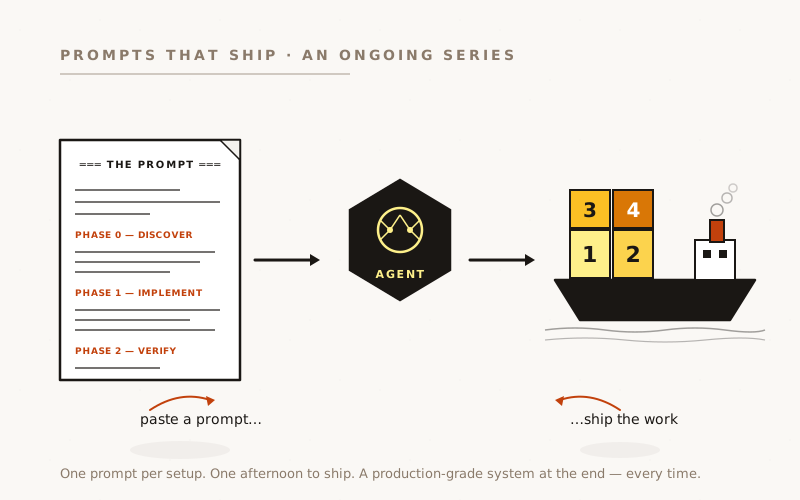
The 24-hour build is the easy part. The hard part is knowing which scanners to run on every PR (one), which to schedule weekly (three), and which directories to exclude before the false-positive count hits four digits. Here’s the prompt that gets it right the first time, and the cost discipline that keeps your monthly GitHub Actions bill at zero.
Companion to “Six Layers of Security Scanning, Built in 24 Hours”. That piece tells the story; this one is the prompt and the operational discipline behind it.
See also: “Your Security Scanner Can’t See Your CORS Config”: the targeted, codebase-specific OWASP review pass that runs alongside the always-on scanners described here. Scanners catch CVEs continuously; the OWASP review catches design-level postures (JWT expiration, CORS config, file-upload validation) that scanners can’t see.
Why “Just Turn on Security Scanning” Is the Wrong Mental Model
The wrong approach: install a tool, point it at the codebase, look at the report, declare victory. The right one: install several overlapping tools, tune each one for your codebase’s noise profile, schedule the expensive ones weekly instead of per-push, and route everything into a single dashboard so the security review is one tab, not seven.
The difference isn’t technical. Both are well-documented and either can be set up in an afternoon. The difference is operational discipline, and operational discipline is the part that’s invisible until it bites.
The original 24-hour-build piece treated the technical work as a commodity. What it doesn’t spell out: which scanners overlap on purpose, what to do with 8,000+ first-pass findings, how to keep your GitHub Actions minutes bill under $0/month on a private repo, and how to triage false positives so you don’t train your team to ignore the security tab forever. Those answers aren’t in the official docs of any of the tools. They’re in the prompt below.
The original 24-hour-build piece treated the technical work as a commodity. What it doesn’t spell out: which scanners overlap on purpose, what to do with 8,000+ first-pass findings, and how to triage false positives so you don’t train your team to ignore the security tab forever.
The Six Layers (and Why the Overlap is Deliberate)
Six independent scanners, one unified GitHub Security tab via SARIF. Each catches a different class of problem:
Layer 1: CodeQL (GitHub’s semantic analysis): traces data flow to find injection vulnerabilities, unsafe deserialisation, and “user input reaches dangerous API” bugs that no regex can find.
Layer 2: OSV Scanner (Google’s database): checks every npm/composer/pip dependency against Google’s Open Source Vulnerability database.
Layer 3: Trivy (Aqua Security’s database): checks the same dependencies against a different CVE database. The intentional overlap matters because the two databases don’t always agree, and a dependency miss is a dependency miss.
Layer 4: Semgrep (pattern-based): runs hundreds of OWASP-derived rules as text patterns. Finds missing CSRF tokens, unsafe DOM sinks, weak crypto.
Layer 5: Dependabot (GitHub-native, proactive): opens PRs for vulnerable npm packages, GitHub Actions, and Docker base images as soon as advisories drop. The only one of the six that proposes fixes.
Layer 6: GitHub Secret Scanning (repo-settings toggle): catches keys committed in git history. Not a workflow file, a settings checkbox.
The headline lesson on overlap: a single scanner gives you false confidence in proportion to how much you trust its database. Different scanners using different databases catch different things, and the cost of overlap is one dashboard with a few duplicate rows.
The prompt
Copy this into Claude Code (or Codex) at the root of any repo:
Set up a six-layer security scanning stack for this codebase. All
findings should land in the GitHub Security tab via SARIF upload, on a
schedule that respects the GitHub Actions minutes free-tier budget.
═══ PHASE 0 — DISCOVER FIRST ═══
Before writing any workflow files, inspect the codebase and write your
findings to `docs/security-scanning.md`. Cover:
- The languages / ecosystems present (we used TypeScript/JavaScript
+ Next.js + GitHub Actions YAML + a C# sidecar; yours might be
Python, Go, Ruby, mixed monorepo, etc.)
- The dependency manifests in the repo (`package.json`, `Pipfile`,
`go.mod`, `pom.xml`, `Cargo.toml`, `composer.json`, etc.) — these
drive what OSV and Trivy will scan
- Any Dockerfiles, base images, and container build pipelines that
Dependabot + Trivy will need to know about
- Vendored or generated directories that should be excluded from
scanning (we had `node_modules`, plus seven project-specific dirs
like `html-static`, `claudecodeui-origin`, `knowledge-source`).
Identifying these UP FRONT is the most important false-positive
fight — see GOTCHA 2 below.
- Whether the repo is public or private (affects GitHub Actions
free-tier minute budget and whether GitHub Advanced Security is
bundled or paid)
- Existing CI workflows in `.github/workflows/` (so the new security
workflows don't collide with them on naming or schedule)
Write findings + the implementation plan to `docs/security-scanning.md`.
Stop. I'll confirm before you implement.
═══ PHASE 1 — IMPLEMENT (after spec approval) ═══
1. CODEQL — `.github/workflows/codeql.yml`. Matrix over languages
discovered in Phase 0. Trigger: push to main + pull_request to main
+ weekly schedule (cron — pick an off-hours slot) + workflow_dispatch.
IMPORTANT: include `language: actions` in the matrix even if your
primary stack isn't Actions — CodeQL scans your workflow YAML files
themselves for command-injection and untrusted-input flow. Most
teams don't know this language exists. See GOTCHA 3.
Use `permissions: {}` at job level + per-step write permissions —
never blanket workflow permissions.
2. OSV SCANNER — `.github/workflows/osv.yml`. Use Google's reusable
workflow `google/osv-scanner-action/.github/workflows/osv-scanner-reusable.yml@v2.x`.
Trigger: weekly schedule + workflow_dispatch ONLY. Not on every
PR. See GOTCHA 1 (cadence + costs).
`scan-args` should include `--recursive` and `--skip-dirs` for
each vendored directory identified in Phase 0.
3. TRIVY — `.github/workflows/container-scan.yml`. Use
`aquasecurity/trivy-action@0.x`. Filesystem scan (`scan-type: 'fs'`),
SARIF output. Trigger: weekly + workflow_dispatch.
CRITICAL: set `severity: 'HIGH,CRITICAL'` — without this, Trivy
reports every MEDIUM finding in your dependency tree and the
security tab becomes unusable. See GOTCHA 4.
4. SEMGREP — `.github/workflows/semgrep.yml`. Run in the `semgrep/semgrep`
container, use `--config auto` (loads 500+ OWASP rules), SARIF output.
Trigger: weekly + workflow_dispatch.
ADD `if: github.actor != 'dependabot[bot]'` at the job level —
stops Semgrep from running on every Dependabot PR (which just bumps
a version and doesn't change code patterns).
`--exclude=` every vendored directory from Phase 0.
5. DEPENDABOT — `.github/dependabot.yml`. Weekly schedule for `npm`,
`github-actions`, and `docker` ecosystems at minimum. Add others
per the manifests Phase 0 found. Open one PR per vulnerable
package, not a batch — easier to review and roll back.
6. SECRET SCANNING — NOT a workflow file. Enable via repo settings
(Settings → Security → Code security → Secret scanning + Push
protection). Document this in `docs/security-scanning.md` as a
manual setup step. Push protection blocks committing recognised
secrets before they reach the remote.
7. SARIF UNIFICATION — every workflow (1-4) ends with
`github/codeql-action/upload-sarif@v4` so all findings land in
the same GitHub Security tab. The CodeQL action handles SARIF
upload natively; Trivy and Semgrep output SARIF that the
upload-sarif action then ingests. This is the contract that
makes "one dashboard, multiple scanners" work.
═══ PHASE 2 — VERIFY before shipping ═══
- All four scheduled workflows run cleanly via workflow_dispatch
BEFORE merging — fix any setup errors with the secrets tab still
empty, not after the team learns to ignore failing badges.
- The Security tab shows findings categorised by scanner (CodeQL,
Trivy, Semgrep, OSV separately).
- The false-positive count on the first run is single-thousands or
below. If you have 8,000+ findings on first scan, the vendored-
directory exclusions in Phase 0 missed a dir. Fix the exclusions
BEFORE triaging individual findings.
- The next billing cycle's Actions-minutes usage is under 20% of
the free tier (~400 minutes/month for private repos). If higher,
a scheduled scan is misconfigured to PR-trigger.
Ship as 4 small PRs (one per workflow), not one mega-PR. Each PR
independently revertable.
Adapt for non-GitHub CI: GitLab has its own native scanners; Bitbucket runs SARIF through Atlassian’s Code Insights; CircleCI has Snyk integration. The phase structure works the same way.
What it does
- Discovery first. Phase 0 forces enumeration of languages, manifests, container files, and vendored directories before writing a workflow. Most teams’ first scan returns 5,000+ findings because they scanned
node_modulesor a vendored fork. The Phase 0 exclusion list is the single most valuable artefact in this setup. - Cadence is part of the spec. Every numbered section names its trigger (per-PR vs weekly cron). Cost discipline lives in the spec, not in a comment-after-the-fact.
- Severity filters are mandatory. Trivy’s default (“everything”) buries the actionable findings. The prompt enforces
HIGH,CRITICALonly. Start tight and loosen, never the other way. - SARIF as the unifying contract. Section 7 calls out the upload-sarif action explicitly. Without it: four scanners reporting into four places. With it: one dashboard.
- “Don’t run on Dependabot PRs” named inline. Semgrep running on every Dependabot PR (10–30+ per week on an active repo) burns minutes for zero new findings. Most teams hit this only after the bill arrives.
- The verification phase audits the bill. Phase 2 includes “next billing cycle’s minutes usage is under 20% of free tier.” Actionable check, not a vibe.
What goes wrong
Each numbered gotcha below cost an iteration or a re-tune to discover.
GitHub Actions minutes are the real budget: schedule expensive scans weekly, not per-PR.
Trivy, Semgrep, and OSV each take 2–10 minutes per run. CodeQL takes 5–15. Trigger all four on every push and PR, the default in most “getting started” docs, and at 15–25 PRs per week you’re looking at roughly 1,500–2,000 minutes per month from security scanning alone. Private repos get 2,000 free Actions minutes per month before billing kicks in at $0.008/minute. You’ll burn the entire free tier on scans that didn’t find anything new.
The right cadence:
- CodeQL on every push + PR, because it analyses code that changed. Code-flow vulns appear with every commit.
- OSV, Trivy, Semgrep on weekly cron. They scan databases of known vulnerabilities. New CVEs appear days or weeks after a release, not seconds.
The original setup ran on a Wednesday-03:00 staggered cron, ~80 minutes/month, under 5% of the free tier. Lesson: the cost model is the part of security scanning that isn’t documented anywhere. Pick the cadence first, then write the workflow.
Vendored directories are most of the false-positive fight.
The original baseline scan found 8,277 Semgrep findings. 7,381 were noise: almost all from documentation HTML files (missing Subresource Integrity attributes on CDN script tags in static examples), vendored third-party code, or generated fixtures. The actionable findings were under 900, still a lot, but triagable.
The fix wasn’t smarter triage. It was naming the directories that shouldn’t be scanned: node_modules, generated docs, vendored forks, fixture data, integration sample apps. Each scanner has a different exclusion syntax (--skip-dirs for Trivy and OSV, --exclude= for Semgrep, paths-ignore in the CodeQL config). Phase 0 enumerates these upfront so they appear in every scanner’s config from day one.
Lesson: the right first scan finds hundreds of items, not thousands. Five-digit findings means untuned exclusions, and you’ll never recover the team’s attention because they’ll learn to ignore the security tab. Tune exclusions before triaging findings.
The right first scan finds hundreds of items, not thousands. Five-digit findings means untuned exclusions, and you’ll never recover the team’s attention because they’ll learn to ignore the security tab.
CodeQL has a language: actions mode that scans your workflows.
GitHub Actions workflow YAML is a notorious source of command-injection vulnerabilities. Anywhere you interpolate ${{ github.event.* }} or ${{ github.head_ref }} into a run: command, a contributor’s PR title or branch name may execute arbitrary shell on your CI runner. Real exploits have happened.
CodeQL has a dedicated language: actions mode for exactly this. Add it to the matrix alongside your application languages. Free, takes under a minute on most repos, catches a class of bug that no other scanner in this stack finds.
Lesson: the most important scanner is sometimes scanning the thing you didn’t think of as code. Workflow YAML is code.
Trivy without severity: ‘HIGH,CRITICAL’ will drown you.
Trivy’s default reports every CVE across all severities. On a normal Next.js codebase that’s hundreds of MEDIUM findings about transitive dependencies you don’t use the vulnerable code path of, plus LOW findings on every web framework’s lifetime DoS exposure.
Setting severity: ‘HIGH,CRITICAL’ collapses this to the dozen or two findings that matter, meaning “if this is exploitable in your app’s specific code path, you have a real problem.” MEDIUM and LOW are signal for a dedicated security team with time to evaluate exploit reachability; for a small team they’re noise.
Lesson: start at HIGH+CRITICAL, build the triage muscle on a small finding set, then expand. Most teams start at the default and never expand because the default already broke their attention budget.
What it costs
About four hours of engineer attention across an afternoon. The agent generates the four workflow YAMLs + the Dependabot config; the human picks the cron times, picks the severity threshold, enumerates the vendored directories from a quick walk through the repo, and toggles the two repo-settings checkboxes that aren’t code.
The output is a permanent zero-marginal-cost security baseline. Roughly 80 minutes of GitHub Actions runtime per month against a 2,000-minute free tier. First run produces a triagable finding set, typically a few hundred items, dropping to a handful per week as new CVEs land. On a codebase more than a year old, expect the first triage pass to take a day; subsequent weeks take 15–30 minutes.
Why this matters
The original 24-hour-build piece argued that security scanning is no longer a specialised discipline requiring dedicated headcount. True at the implementation layer. The discipline layer above implementation (cadence, severity thresholds, exclusion lists, triage strategy) is just as important and just as poorly documented.
That discipline layer is the part an AI agent doesn’t get right on first instinct. It will install all six scanners, leave Trivy at default severity, run everything on every PR, and produce a beautiful first-scan dashboard with 8,000 findings that nobody will look at twice. That outcome looks correct to the agent because it followed the official getting-started docs of every tool.
What gets it right is a prompt that names the operational defaults (cadence, severity, exclusions, SARIF unification) as first-class requirements alongside the tool installations. That’s what the prompt above does. The work it produces in an afternoon isn’t “six scanners installed.” It’s “six scanners installed with the cost model figured out and the noise pre-tuned.”
Built on a Next.js + .NET sidecar codebase deployed on GitHub Actions, with all six layers running against the same repo for ~$0/month in Actions minutes. The work was done with Claude Code (Opus 4.7) in a single afternoon (four workflow PRs, one Dependabot config, two repo-settings checkboxes) with about three hours of human review and decision time on top. The 24-hour timeline from the companion piece is real, including the false-positive triage that turned 8,277 first-pass findings into a triagable set.