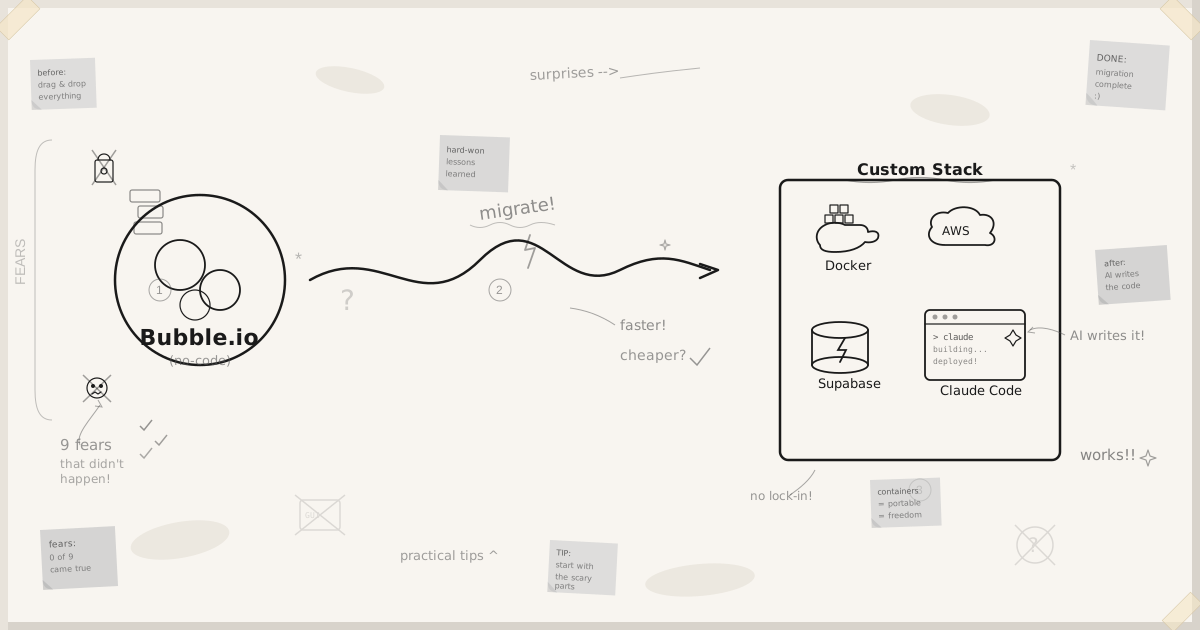

The Fears That Never Materialised
“I’ll end up with a coded mess”
The mitigation for this is having strict architecture guidelines, skills, testing practices, and planning specs (using Superpowers). It’s a very controlled, very observable process. This fear never materialised.
“I’ll be taken on a whole DevOps burden”
I feared I’d be getting alerts in the middle of the night: “system is down”, “this is broken”. That hasn’t happened. The reality is that with proper architecture, Docker containers with their own health endpoints that restart when there are issues, high availability is easily achieved. Certainly better than Bubble’s availability, no problem.
“It’s going to be really hard and complex”
I had a lot of very tricky business logic in my Bubble app that I thought would be hard to describe and hard to recreate. The reality? Use BuildPrint (George Collier’s tool) to create all your PRDs, layer in your own highly opinionated non-functional requirements, and capture all lessons from previous migrations. No issue.
We’re institutionalised working on Bubble, thinking we’re making complex business logic with complex access roles. I don’t think that’s true.
What we’re building in Bubble is backend workflow: CRUD with rules and actions. The complexity in Bubble comes from trying to do data processing in an incredibly obtuse way, working through lots of workarounds and loopholes. In terms of actual code, it’s simple business logic. No big deal.
“I’ll have dozens of systems to manage”
I feared going from managing one or two surfaces in Bubble to managing dozens: GitHub builds, container repositories, code scanning, AWS, queuing, dependencies. I thought the cognitive load would be overwhelming.
It didn’t materialise. GitHub handles a lot of this: scanning, building, versioning, semantic versions, upgrade/downgrade. Containers are very straightforward, complex under the covers, but easily managed. You surface everything into your admin app anyway: deployed versions, system status. It all becomes manageable.
“Real-time UI updates will be impossible”
In Bubble, real-time updates are fantastic but complex. In the new stack? Very straightforward. PostgreSQL and Supabase handle it with built-in WebSocket support. You didn’t fully understand it in Bubble either, and you don’t need to understand all the details in the new stack. The AI looks after it.
“Unknown costs will spiral”
I feared all these new systems would bring too many unknown costs, too much cognitive load figuring out pricing. In reality, all the costs are very low and the AI is very good at managing and observing them for you. My favourite prompt is asking AWS to look at my bill and optimise costs. Having that capability and diving into what’s costing you money is a joyful thing.
“Async processing will be a nightmare”
I had my knickers in a twist about asynchronous processing, observability of job retries, and scheduled jobs. I thought I’d need heavy-weight infrastructure and complex third-party services. The reality? PostgreSQL’s own asynchronous queuing system handles retries. It’s as simple or complex as you want, easy to build observability on top of. You end up with something better and more observable than Bubble.
“AI-generated code will be full of security holes”
You hear a lot about AI-coded security flaws. It’s true you’re not writing the code yourself, but you are responsible for security. The way to deal with it is having the right controls in place: CodeQL (basically free), Dependabot, and GitHub security scanning. Then build expert skills for code reviewing: a Supabase implementation review skill, a Docker security review skill. Run security reviews regularly. It’s manageable.
“Scope creep will kill the project”
Lift-and-shift of one application is one thing. But then tackling tech debt, implementing features that were previously too costly: I was worried scope creep would mean I’d never finish.
The answer: these features that were previously too expensive become very cheap to implement, as long as you can articulate them in a Product Requirements Description. It’s a very cheap feature to add once you have good PRDs.
Surprising Benefits
Hard things become trivial
Things that are really hard workarounds in Bubble are absolutely trivial for Claude Code to implement. A certain import, a certain utility: things that were impossible workarounds become easy. This keeps catching me off guard.
Cost control becomes a joy
My favourite prompt: “Go to AWS, look at my bill, and optimise costs.” Having that capability is enjoyable. But this is also why you don’t trust the LLM to design your infrastructure unsupervised: it’ll put everything on its own IP, load balancers for every service. You don’t need that. You didn’t have it with Bubble. Isolate at the container level, put routing rules on your containers, use what you’ve got. How much do you want to pay for network isolation?
You end up with more observable systems than what you had in Bubble. Logging, monitoring, job status: it’s all more transparent.
Better observability than Bubble
You end up with more observable systems than what you had in Bubble. Logging, monitoring, job status: it’s all more transparent.
Hard-Won Tips
1. Start with comprehensive PRDs
Go in with a really strong, comprehensive set of Product Requirements Descriptions. Use BuildPrint to help. I even have a skill that lets Claude Code query BuildPrint directly, asking its own questions and completing its own functional specifications. Kudos to George: it’s an amazing tool.
2. Run real production data early
Migrate production data early (anonymised, obviously). Don’t invent test data. You don’t have to have the same schema, and you won’t, and it would be a bad idea to try. The schema will be logically similar, but the relationships and joining tables won’t be the same. Bubble has lots of workarounds to achieve privacy roles and make things work, and you don’t need those workarounds anymore.
Run real migrated data so that while you’re building the app, you’re simultaneously building the data migration. When you find gaps in your application, it could be a gap in the migration. Go back, fix it, rinse and repeat. This is really important.
3. Choose your database deliberately
I use Supabase because I can run it locally and in production, it has good management tools, and I can give customers links to view their data. Fundamentally, I want to run on PostgreSQL. I love Postgres, I feel comfortable and familiar with it, it does the job, and it’s portable. I can run Postgres on AWS, wherever I want.
4. PRDs are your source of truth, not the code
You need a source of truth for what the application is, and it’s not the code. Your Product Requirements Description describes every aspect: functional, non-functional, design, architecture, coding practices, brand. The code is a system implementation of the PRDs.
One day I’ll say “I don’t want Docker anymore, I want Rust on a completely different stack.” My goal is that with all the information in the PRDs, the next smart LLM implements exactly that: feature parity, a different implementation.
Don’t let your PRDs drift. When you build a crazy new feature, make sure it gets written back into the PRDs.
5. Make all infrastructure decisions before you build
The thing you have to manage most is your cognitive load. PRDs help with this. When I come to build, I want 90% of the decisions already made. If you’re deciding on infrastructure and architecture decisions halfway through a build, you’ve failed badly. You’ll have enough cognitive load managing all the simultaneous activity. You don’t need to be making big decisions mid-flight.
6. Know your productive hours
For me, after about 3pm my productivity massively declines. Any decisions I make after 7pm are garbage. That’s just me, but know your own patterns.
7. Use Run-As impersonation for testing
A really useful practice carried over from Bubble: Run-As impersonation. Test as Customer One, Customer Two: look at real data through their eyes. Impersonate a tenant or user, step through phases of development and verify what they see and experience.
8. Let the LLM manage your project
Keep a backlog of to-do items. Let the LLM do your project management: prioritise your tasks, help you make good decisions. Don’t sit there actively managing everything yourself.
9. Be careful with LLM recommendations
LLM recommendations can be out of date. If you ask “what is the best practice way to do something?”, don’t take it at face value. Cross-check with another model. Best practice recommendations from Claude Code can be out of date (the underlying model’s training data has a cutoff). That said, Claude 4.6 does a great job: solid, gets the work done.
10. Have strong opinions about simple infrastructure
The LLM looks after the complexity of how to do things on AWS, but you need to have an opinion about keeping infrastructure simple. Otherwise you’ll end up with 10 Docker containers, 50 sidecars, and 20 external services.
Why I Migrated
It wasn’t cost. Yes, it’s going to be cheaper to run, maybe $30–40/month versus $100–120/month, but that’s not a number to get excited about.
The real cost was time and cognitive load. Making a small, easy, risk-free change in Bubble takes minutes, not seconds. The cognitive load of having to go into Bubble, click-click-click-and-type, is just too much. I can’t manage a product backlog natively. I need lots of other tooling around it to manage my product requirements and tickets. It’s too much load and too much effort to do easy stuff.
20 minutes versus 30 seconds. Or two minutes versus 20 seconds. That matters.
The side benefit is that things which were very difficult or impossible in Bubble are now trivial. But that’s a bonus, not the driver. It came down to the maintenance cost of my time. If I’m going to spend two hours a week maintaining a product, or one or two days a month doing new feature builds, I want to get really good value out of that time.
That’s why I migrated.
Want the short version? Read 7 Hard-Won Lessons and 3 Delightful Surprises from Migrating Off Bubble.