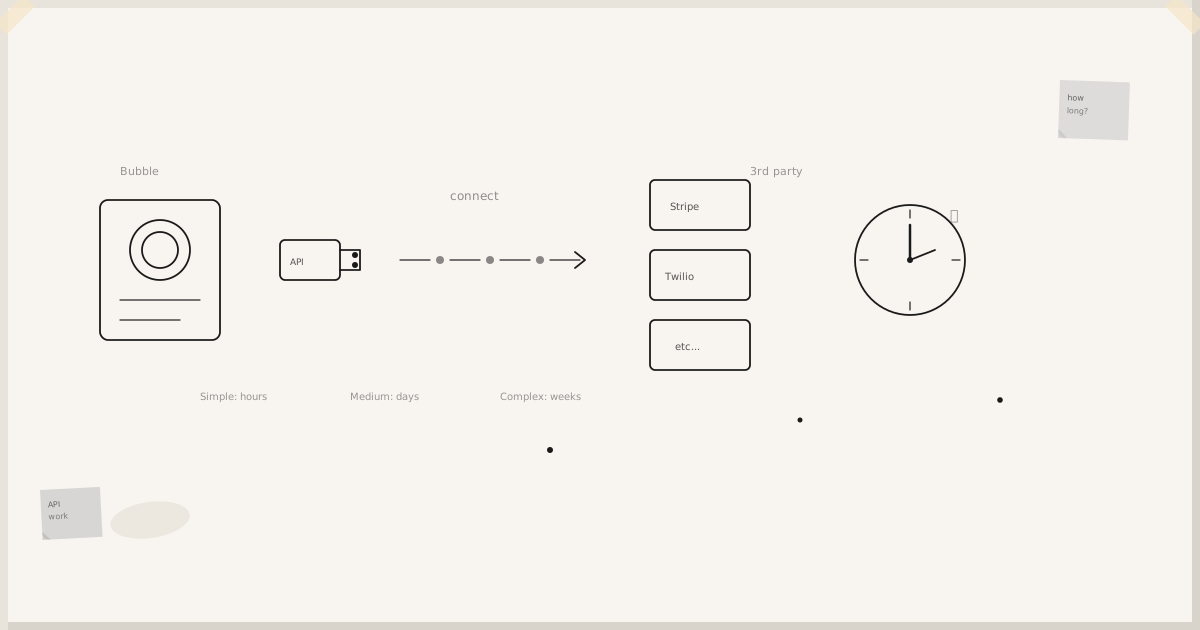
Bubble integrations fall into three tiers. Which tier you need depends on the API you're connecting to — not on how ambitious the integration is. Most integrations stay in tier one. A handful reach tier three. Knowing the difference upfront saves days.
Tier 1 — Plugins (5 minutes to 2 hours)
The Bubble plugin marketplace has thousands of connectors. If you're connecting to Stripe, Intercom, SendGrid, Postmark, Twilio, Airtable, Google Calendar, Facebook, or any other mainstream SaaS product, there is almost certainly a plugin already. Installing it, entering your API key, and wiring a workflow takes 5–30 minutes.
The real work in tier one is evaluating the plugin, not using it. Search "Stripe" on the Bubble marketplace and you'll get forty results. You need to look at: install count, last update date, whether the developer responds to issues, and whether the version you need is still maintained. A plugin last touched in 2019 is a liability.
I've built 60 plugins for the Bubble marketplace. They exist because I hit a case where no good plugin existed — the Vimeo uploader, the Bullhorn ATS connector, the Square embedded payments SDK, the Postmark template mailer. The pattern is always the same: the API provider has a small user base or a tricky auth flow, and the community hasn't caught up yet.
When you find a plugin that fits, use it. Don't build your own just because you can.
Tier 2 — The API Connector (30 minutes to 2 days)
When there's no plugin, or the plugin doesn't cover the call you need, Bubble's API Connector is the next tool. Given a REST API and credentials, you can make calls in 5 minutes. What takes longer is understanding the API itself.
Well-documented APIs (Stripe, Square, Xero, Google) go smoothly. Poorly-documented ones — the kind with a PDF dated 2012, a sandbox that doesn't exist, and a "call us" support model — take days. I've spent a full working day just trying to understand the pagination model on a school-sector API that served under 5,000 customers and had never prioritised self-service documentation.
The API Connector has real limits that matter in production:
- No visible error detail when a call fails at the transport layer — only API-level error bodies
- You can't chain calls or orchestrate retries for transient failures
- You can't manipulate lists in POST request bodies directly
- Auth tokens are held invisibly inside the connector — you can't inspect or debug them
- Complex custom types sometimes confuse it when you've created multiple versions in the same app
For straightforward request/response integrations these limits don't matter. For anything involving retry logic, audit trails, or complex orchestration, they do. That's when you move to tier three.
Tier 3 — Custom Plugin Code (1 day to 2 weeks)
Bubble plugins run as JavaScript in the browser (client-side) or as AWS Lambda functions (server-side actions). Writing your own plugin gives you full control: you can handle errors properly, retry on transient failures, inspect headers, hold auth tokens securely, and do things the API Connector simply can't express.
The learning curve is real but not steep. It's JavaScript and Node.js. The community support for plugin builders is strong. The constraints are: 128MB memory and roughly a 20-second execution window on the server side. For most integration tasks that's enough. For long-running DB operations or large file processing, it isn't — which is when you start thinking about externalising those operations entirely.
The Bullhorn ATS integration I built is the clearest example of when a custom plugin is unavoidable. Classic enterprise API: poorly documented, tiny community, no sandbox initially, authentication that required a custom OAuth dance not supported by the API Connector. Two weeks of effort. The result is a plugin that hides all that complexity from the Bubble editor and works cleanly.
Enterprise APIs: expect the unexpected
Enterprise integrations in regulated industries — insurance, healthcare, lending — deserve their own section because they consistently surprise people.
The surprises are structural, not technical. You will often face: credentials that require a signed agreement before they're issued (weeks, not hours); sandbox environments that mirror production only loosely and have their own quirks; documentation that describes the API as it was two major versions ago; test accounts that need manual setup by their support team; undocumented rate limits that only surface under production load.
None of this is technically difficult. It's all procedural overhead. The integration itself might take 4 hours; the ceremony around it takes 4 weeks. Knowing this upfront changes the project plan entirely.
Old-school enterprise SOAP APIs from a PDF with no public community support can take weeks — not because the code is hard, but because everything around the code is slow.
Integration patterns that hold up in production
After building across insurance platforms, mortgage marketplaces, patient record systems, and recruitment tools in Bubble, a few patterns consistently hold up:
Log at every boundary. When something fails between Bubble and a third-party API at 2am, you need to know whether the request left Bubble, whether it reached the API, and what came back. Without boundary logging, you're guessing. I wrote about the exact setup for this in boundary audit logging.
Test the unhappy paths first. Every API has edge cases the documentation doesn't cover. Test with invalid credentials, expired tokens, rate limit responses, and malformed payloads before you write the happy-path workflow. You'll find surprises early rather than in production.
Treat API credentials as secrets from day one. In Bubble, credentials go in the API Connector's header configuration or in option sets behind privacy rules — never hardcoded in a workflow. If you're ever unsure whether your Bubble app's data is properly secured, the privacy rules guide covers the retrofit.
Know your exit point. Every integration eventually hits a wall. The question isn't whether you'll hit it, but where. The API Connector hits its limit first; a custom plugin extends it further; externalising the logic to your own backend extends it furthest. Planning for that progression means the wall isn't a crisis when you reach it.
When to ask for help
Tier-one integrations with a well-maintained plugin don't need a consultant. Neither do straightforward REST calls through the API Connector to a well-documented API.
Where it makes sense to bring in someone with the track record: when the API is enterprise-grade and underdocumented; when you need the integration to be audit-compliant (regulated industries have specific requirements around logging, data residency, and access controls); when you're planning to migrate off Bubble and need the integration architecture to survive the move.
I work with businesses in insurance, healthcare, regulatory operations, and mortgage lending — the industries where integrations carry real compliance weight. If that's your situation, the Bubble migration for regulated industries page covers how I work, and you can get in touch directly.
Related reading
How long does it take to integrate Bubble with a 3rd party API? — real timing data across 15+ integrations.
Getting your Bubble app verified for Google social logins — the OAuth verification process in detail.
Plugins built by Lindsay Smith — 60 production plugins across payments, email, storage, video, and enterprise connectors.